Do you really need the top workstation – or is the little brother sufficient?
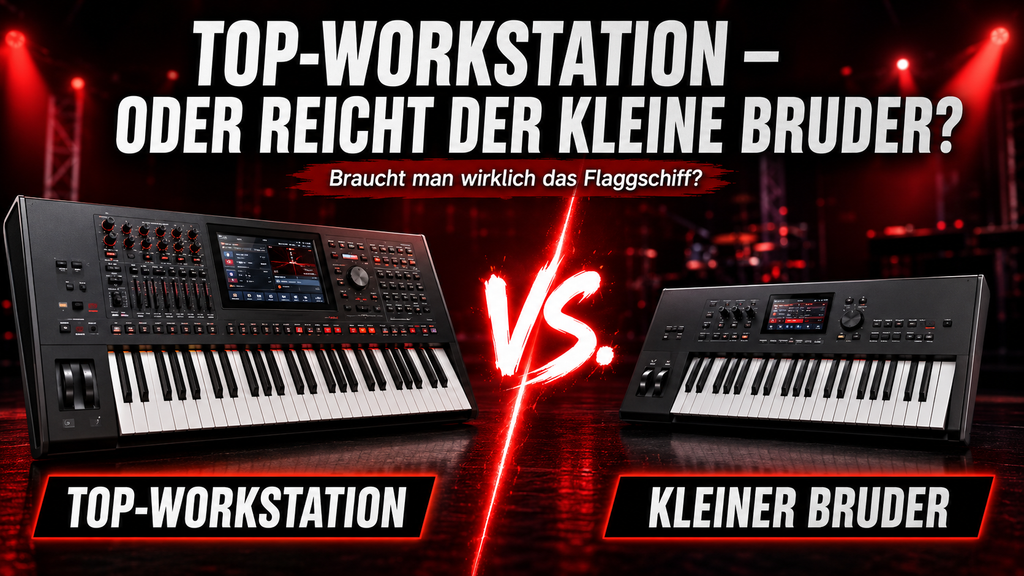
An honest assessment for Korg, Roland and Yamaha.
The question almost everyone asks
Yamaha Montage M or MODX M? Roland Fantom 7 EX or Fantom 07? Kronos or Nautilus – or is the Krome even enough? Anyone looking to buy a workstation keyboard will sooner or later face this question. And not without reason: the price difference between the top model and its smaller sibling is often considerable. A Yamaha Montage M8x costs around 4,296 Euros, while the MODX M 8 is around 1,849 Euros – a third of the price. So it's fair to wonder if you really get three times more keyboard for that money.
The honest answer: For most keyboard players, the cheaper model is perfectly sufficient. But 'most' doesn't mean 'all' – and this statement can differ significantly between the big three. The devil is precisely in these differences. This article helps you ask the crucial questions for your situation.
Yamaha: Montage M vs. MODX M
Yamaha has been consistent with sound generation: both the Montage M and the MODX M use the same AWM2, FM-X, and AN-X engines. This means the basic sound is the same – and that's an important point. If you buy sounds for Yamaha on keyboard-sounds.com, you can use them on both. Full compatibility, no ifs or buts.
What's missing from the MODX M? Primarily, the second stereo output. This sounds technical, but it has concrete consequences: anyone who wants to route their click track or an in-ear signal separately from the keyboard needs at least two outputs. This is not possible with the MODX M – that's where it stops. For those playing in a band on stage and wanting a clean monitor mix, the Montage M is clearly better. However, if you simply go through the PA or produce at home, you will never miss this difference.
Roland: Fantom 7 EX vs. Fantom 07
Roland has clearly divided the Fantom line into two: both models share the ZenCore engine as their basis – and it's good, very good even. The Fantom EX goes beyond this: it additionally offers ACB models (Analog Circuit Behavior) as well as the so-called 'Models' for classic synthesizer sounds. The Fantom 07 does not have the Models – but it does have an important difference in memory: the EX has 2 GB for keyboard and models, plus 2 GB on the pads. The 07, on the other hand, only has 256 MB for keyboard and models, but also 2 GB on the pads. Those who want to load many of their own samples will notice this difference significantly.
Important to know: The Fantom 07 has two stereo outputs – so a separate click or a second monitor mix is not a problem. The price also makes a considerable difference here: the EX is significantly more expensive than the 07, and for most live situations, the 07 offers better value for money.
The advantage with Roland: ZenCore sounds are largely compatible between Fantom EX and Fantom 07. So if you buy or exchange ZenCore presets, you can use them on both devices – which is good to know when building a sound library.
Roland's conclusion: If you can do without ACB models – and most stage keyboardists can – the Fantom 07 offers a full-fledged instrument with two stereo outputs at a significantly lower price. The EX is for those who want the ultimate degree of sound variety and authenticity in modeling.
Korg: Kronos, Nautilus and Krome – three worlds
With Korg, things are more complicated, as there are not just two tiers, but three – and they are further apart than with other manufacturers.
The Kronos is still a legend: nine sound engines in one device, including the HD-1 PCM engine, the SGX-2 grand piano simulator, the CX-3 organ cloner, and more. The Nautilus adopts these engines completely – it is essentially a Kronos without a touchscreen and with slightly reduced features, but sonically on par. Both have multiple outputs, both are suitable for professional stage situations with click requirements.
The Krome is a different story. It is based on the HD-1 engine alone – no SGX, no CX-3, no extended sound generation. And: only one stereo output. For many cover band keyboardists looking for good PCM sounds in an inexpensive workstation, it is still a solid choice. But if you need a click or depend on the special Korg engines, you're out of luck.
The biggest problem with Korg is compatibility: sounds can only be partially transferred from Kronos to Nautilus. It doesn't work at all for Krome – the sound engines are too different. This means that if you buy or exchange sounds, you always have to pay attention to the respective model. There is no common library for all three.
Overview: The most important differences at a glance
Note: Prices are approximate (as of 2024/25) and vary depending on retailer and equipment variant.
|
Criterion |
Korg |
Roland |
Yamaha |
|
Models (Top → Mid → Entry) |
Kronos → Nautilus → Krome |
Fantom 7 EX → Fantom 07 |
Montage M → MODX M |
|
Price range (approx.) |
€3,635 / €1,900 / €1,000 |
€3,869 / €1,749 |
€4,296 / €1,849 |
|
Stereo outputs |
2 / 2 / 1 |
2 / 2 |
2 / 1 |
|
Click/Aux output possible |
Yes / Yes / No |
Yes / Yes |
Yes / No |
|
Sound generation |
9 Engines / 9 Engines / PCM |
EX: ZenCore + ACB + Models | 07: ZenCore + Models |
AWM2 + FM-X + AN-X (both) |
|
Keyboard options |
88/73 weighted. 61 unweighted./88 weighted. /76/61 unweighted. / 88 weighted. 61 unweighted. |
88 weighted./76/61 unweighted. (both) |
88 weighted./76/61 unweighted. (both) |
|
Sound compatibility |
Partially Kronos→Nautilus, Krome: none |
ZenCore sounds largely compatible |
Fully compatible |
|
Are my sounds usable? |
Only Kronos/Nautilus (partially) |
Fantom EX + 07 (ZenCore) |
All models – full compatibility |
The one question that decides everything
Do you need a separate output for click or monitor? If so, MODX M, Fantom 07, and Krome are all out – regardless of all other qualities. This is not a minor flaw, but a technical limitation that cannot be argued away in live operation.
If not – and this is the case for the majority of cover band keyboard players – then the cheaper model is the smarter choice in almost all scenarios. The money saved is better invested in sounds, accessories, or a second keyboard than in features you will never touch on stage.
A second question is about the upgrade path: Anyone who starts with a MODX M today and later switches to the Montage M can take their entire sound library with them. With Korg, this path is rockier – and anyone who starts with the Krome will have to start from scratch sound-wise when switching to the Kronos or Nautilus.
My personal assessment
I see it pragmatically: For about 80 percent of keyboard players who play live in a cover band, the mid-range or cheaper model is perfectly sufficient. The sound generation of MODX M and Fantom 07 is on a professional level. The difference to the top class is barely audible on stage – and certainly not in the audience.
However, if you know that you need a click, work with multiple bands and different monitoring setups, or want to build a library in the long term that works across devices: You are best served with Yamaha. Full sound compatibility between Montage M and MODX M is an argument that really counts in everyday life.
Sounds that work on your device
On keyboard-sounds.com you will find professional cover sounds and presets – with clear information about which devices they are compatible with. For Yamaha: Sounds for Montage M also run on the MODX M. For Roland, I mark ZenCore-compatible sounds accordingly. Korg sounds are model-specific – please always pay attention to the device designation.
Directly to the shop: keyboard-sounds.com
-
Posted in
Korg, Korg Kronos, Korg Nautilus, Roland, Roland Fantom, Workstation, Yamaha Modx Montage

Mit dem Aftertouch stimmt. Ich verzichte jetzt da drauf und spiele statt dem Montage M, den Modx M live. Ich habe noch ein Studioloigc SL unten drunter und muss es dann entsprechend programmieren, wenn ich AT möchte, dass die Sounds eben auf dem SL liegen.
Ich finde das zweite Ausgangspärchen wichtig, wobei Klick und Backing sowohl beim Yamaha, als auch beim Fantom schlecht gelöst sind. Also kann man drauf verzichten. Daher nutze ich jetzt ein B Beat für solche Geschichten.
Hallo Thorsten,
Ich spiele in verschiedenen Cover – Party Bands. Die Frage welches Keyboard ich mir zulegen möchte habe ich mit oft gestellt.
Ja die Mittlere Preisklasse wie Roland „0“ oder Yamaha MODX M ist schon in meisten fällen ausreichend.
Wie du schon angesprochen separate Ausgänge für Klick und Backing Track sind mir sehr wichtig.
Als nächste was für mich auch sehr wichtig ist Integriertes USB – Audio-Interface für z.b. MainStage.
Und zum Schluss was für mich ganz wichtige Kriterium ist der Aftertouch.
Also die günstigste Variante mit diesen Kriterien erfühlt eigentlich ist nur der Korg Nautilus AT.
Ich selbe spiele Korg Kronos 3 (73) und Korg PA-5x (76).